Try hiting the tab key while floating over the roof edge and you'll see that the slope tag can report the slope of the hip or the face. The tool just happens to default to reporting the hip first.
This tool does not yet work on ramps or railings.
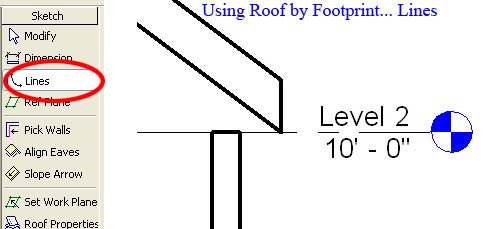
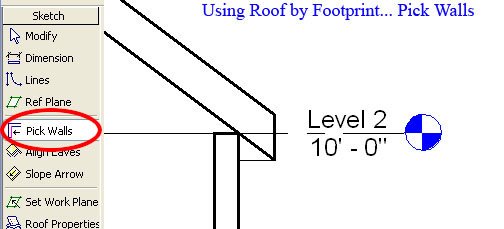
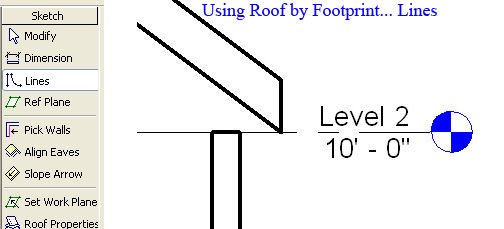
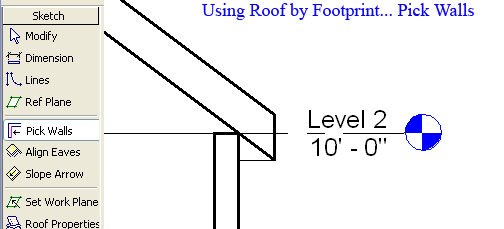
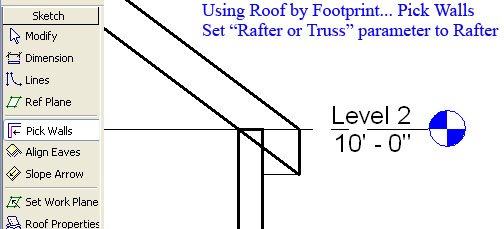
Instead of adjusting the elevation of your roof manually... sketch your roof using Pick Walls instead. The roof will now rest on your top plate (Level 2).
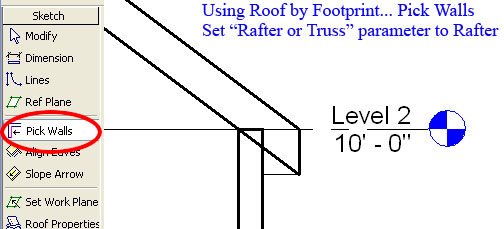
But by default Revit will treat your roof joists as trusses. To get your rafter resting precisely on your top plate you will have to go into the roof's properties and change the "Rafter or Truss" parameter to Rafter. This parameter will not be available if you've sketched your roof using Lines.
Understanding how Revit places a roof in section can be difficult if you're not aware of this Revit behavior.
UPDATE (12/05/06):
Don't mix pick lines and pick walls in the same roof sketch or you'll experience ill formed roofs.